
A faulty garage door fob can be disruptive and compromise the security of your garage. If you need a replacement, it’s important to choose the right type, as many fobs are bespoke to the doors they come with.
In this article, the team here at Rollerdor will help you find the right fob for your door, as well as provide other troubleshooting advice.
Why isn’t my garage door responding to my fob?
The most likely reason why your garage door fob is not responding is a flat battery. This is particularly likely to be the case if the fob is working intermittently.
Changing the battery should be the first thing you try. If this doesn’t work, you may need to reprogramme the fob to reconnect it with your garage door.
How to programme a roller garage door fob
How to programme it will depend on the type of fob you have, but here are the methods for some of our most popular products:
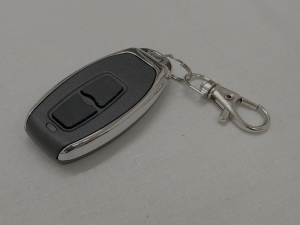
RD2 remote control handsets
- Slide the back cover off the remote to reveal the four buttons.
- Lift the control unit front cover upwards, and you will find a membrane ribbon located on the PCB board. Remove this from the PCB.
- Locate the button on the right-hand side of the PCB board next to the digital display. Press it so the digital display shows S.T.U.
- Press and release the top button on the handset twice.
- The S.T.U. display will flash to show programming has been successful.
- Test the handset and repeat the steps if it doesn’t work.
- Reattach the membrane ribbon and slide the cover back on again.
For further programming instructions, please see our guide, page 2.
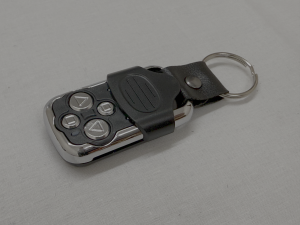
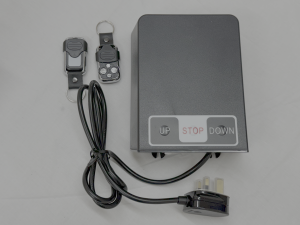
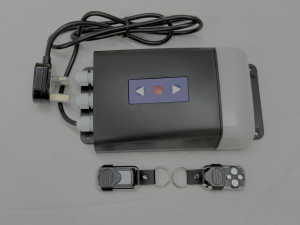
RD1/W remote control handsets
- Slide the cover down on your remote control.
- Remove the lid of the receiver box by unscrewing it.
- Press and release the black programming button in the middle of the control unit. The green LED will begin to flash.
- Press and release the button at the bottom left of the handset. The green LED will flash faster and then stop.
- Press and hold the top left button, then press and hold the top right button to test the handset. You should see the door move.
For further programming instructions, please see our guide, page 3.
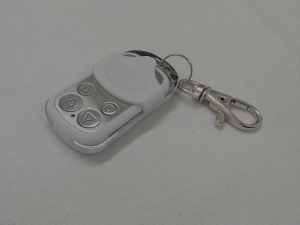
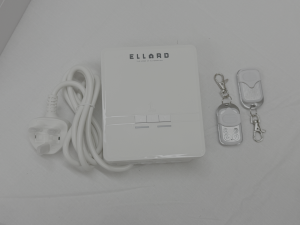
RD20/2ELL
- Remove the top bulb cover.
- Remove the small plastic cover at the bottom of the unit, and remove all four screws from the cover.
- Press the P1 (PROG) button twice; on the last press, hold it down to emit a buzzing sound.
- With P1 (PROG) still pressed, press the top button on the transmitter until you hear a fast beeping sound.
- If you want to delete all transmitters, press P2 (DEL) five times; on the last press, hold the button down for 10 seconds until the buzzer emits a rapid beep.
- Once the sound has become continuous, release the P2 button.
For further programming instructions, please see our guide, page 5.
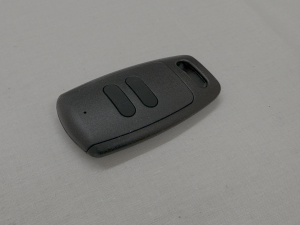
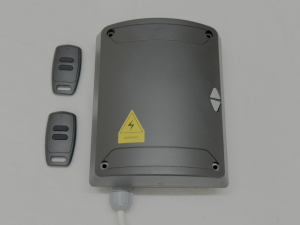
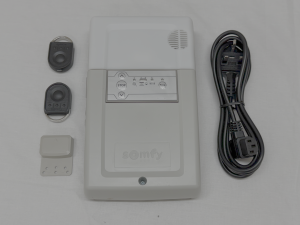
RD20/4SOM
- Press the PROG button on the front panel until the LED turns red.
- Press the button on the keyfob that you want to control and wait until the PROG LED has flashed and gone out.
- To delete Somfy remote controls from its memory, press the PROG button. for about seven seconds until the LED goes out.
- The LED will then flash slowly before going out.
For further programming instructions, please see our guide, page 5.
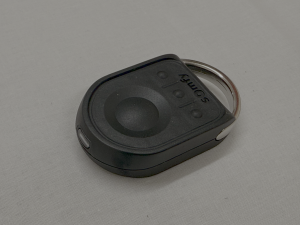
ANSATEC/2 and ANSATEC/4
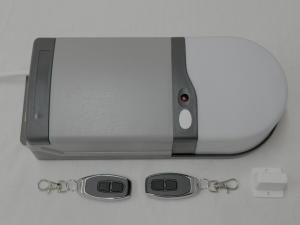
- Press and hold the operation button on the receiver box, next to the red LED, for roughly five seconds. Release the button when the light goes out.
- The red LED will flash once to say it is in programming mode. With your new unprogrammed handset, press and release the top button, and the red LED will flash once again. Repeat this process for every handset you are adding.
- After programming all your handsets, wait 30 seconds for the red LED to come back on and the door is out of programming mode. Test your handset to check it is working, and repeat the process if necessary.
For further programming instructions, please see our guide, page 6.
RD1/B
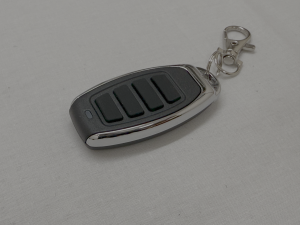
- Slide the cover off the handset to reveal four buttons.
- Remove the lid of the receiver box by squeezing each side at the bottom where the wires come into the box.
- With the handset, press and release the black programming button located at the top of the receiver box, just below the fixing screw. The green LED should start to flash.
- Press and hold the bottom left programming button on the handset. The green LED light will flash more quickly before going out.
- Press and hold the top left button and then the top right button to test. The barrel should move. Repeat this process with all other handsets.
- Replace the lid of the receiver box, firmly pressing it until it clicks into place.
For further programming instructions, please see our guide, page 5.
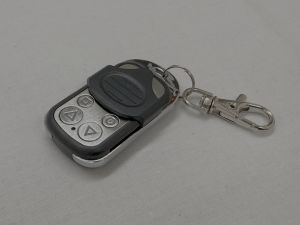
RD20/4SOM IO
- Press the PROG button on the front panel until the LED turns red.
- Press the button on the keyfob that you want to control and wait until the PROG LED has flashed and gone out.
- To delete Somfy remote controls from its memory, press the PROG button. for about seven seconds until the LED goes out.
- The LED will then flash slowly before going out.
For further programming instructions, please see our guide, page 5.
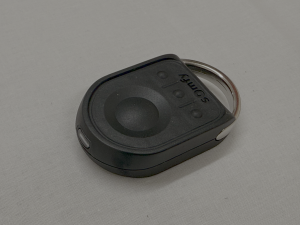
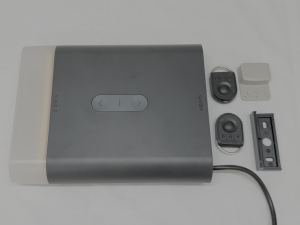
We supply a wide range of remote control fobs, and for a more in-depth look at programming, take a look at our guide.
How to choose the right remote fob for your garage door
If reprogramming the fob doesn’t work, you may need to replace the handset.
With so many different models on the market, it can be difficult to know which one to buy. To make sure you choose the right one for your garage door, follow these steps:
- Find your control box’s make and model
The make and model of your roller garage door control box will dictate what remote you need. The model number should be printed on the motor itself, so take a look and make a note of it. Usually, the model number will be a combination of letters and numbers.
- Identify the same model as your existing handset
Once you have the model number, you then need to match it to the handset. This will then have the same frequency as the control box. Most garage door motors operate on either 433.92 MHz or 868 MHz, and this will help you choose the correct remote fob.
You also need to make sure that you have a rolling code remote and not a fixed code cloning model of the handset.
- Double-check before you buy
Before purchasing your remote fob, you need to make absolutely sure it is the right one so you’re not wasting money. At Rollerdor, our expert team is always here to help. We stock a wide range of accessories, including handsets and will be able to advise on the best type for your garage door.
For more information on how to find the right remote fob for your roller garage door, get in touch with the Rollerdor team today.

